Try before you buy anything
The free AI room design tool lets you see whether a direction works in your actual space before you spend money on samples, furniture, or a contractor.
A free AI room design tool that lets you try a new direction for your space without paying anything upfront. Upload a photo, pick a style, and see the result in under a minute.
Start with a photo of the space you actually want to redesign.
Compare directions from minimal and modern to Japandi and bohemian.
Use a visual concept to clarify your taste before buying or renovating.
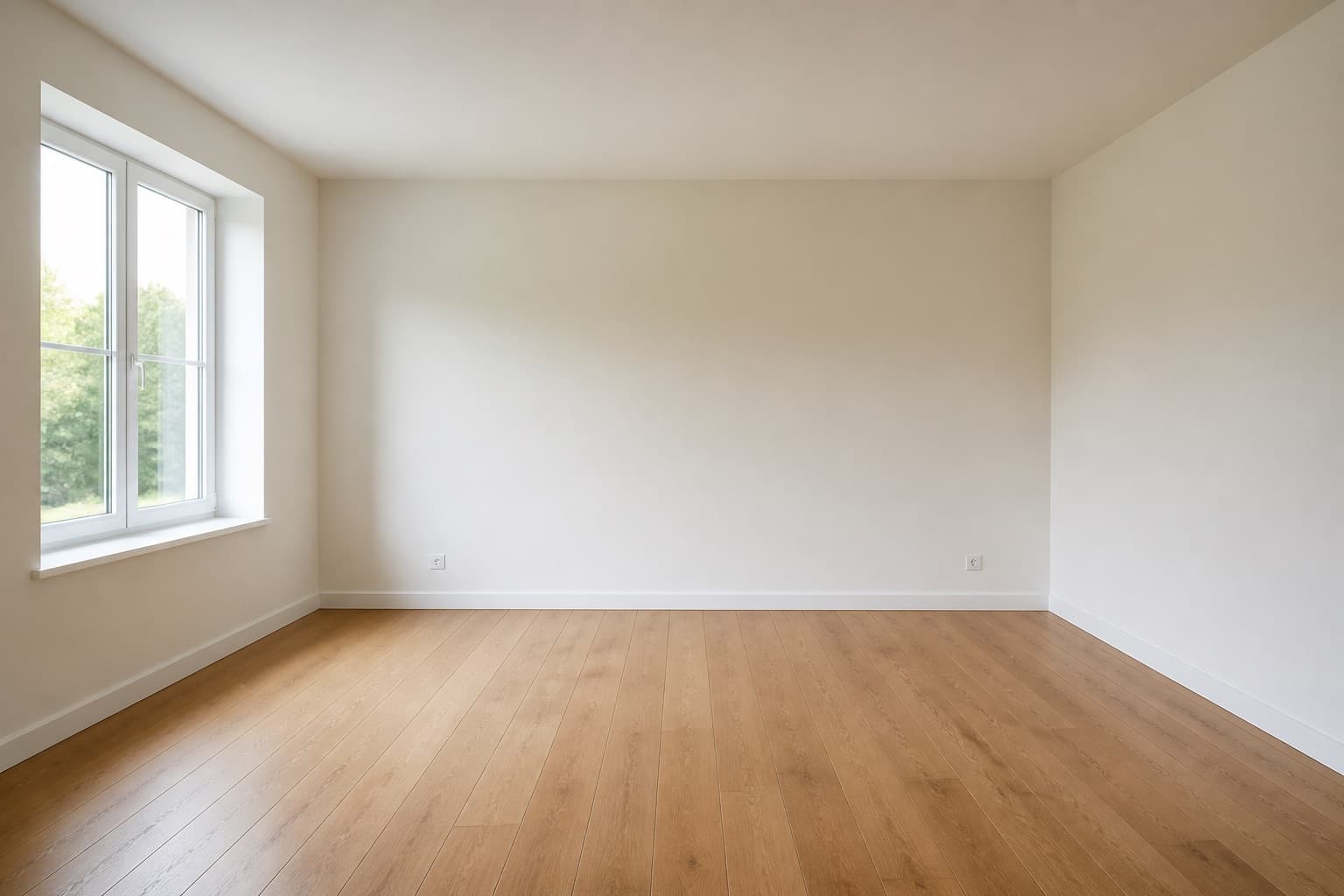 Before
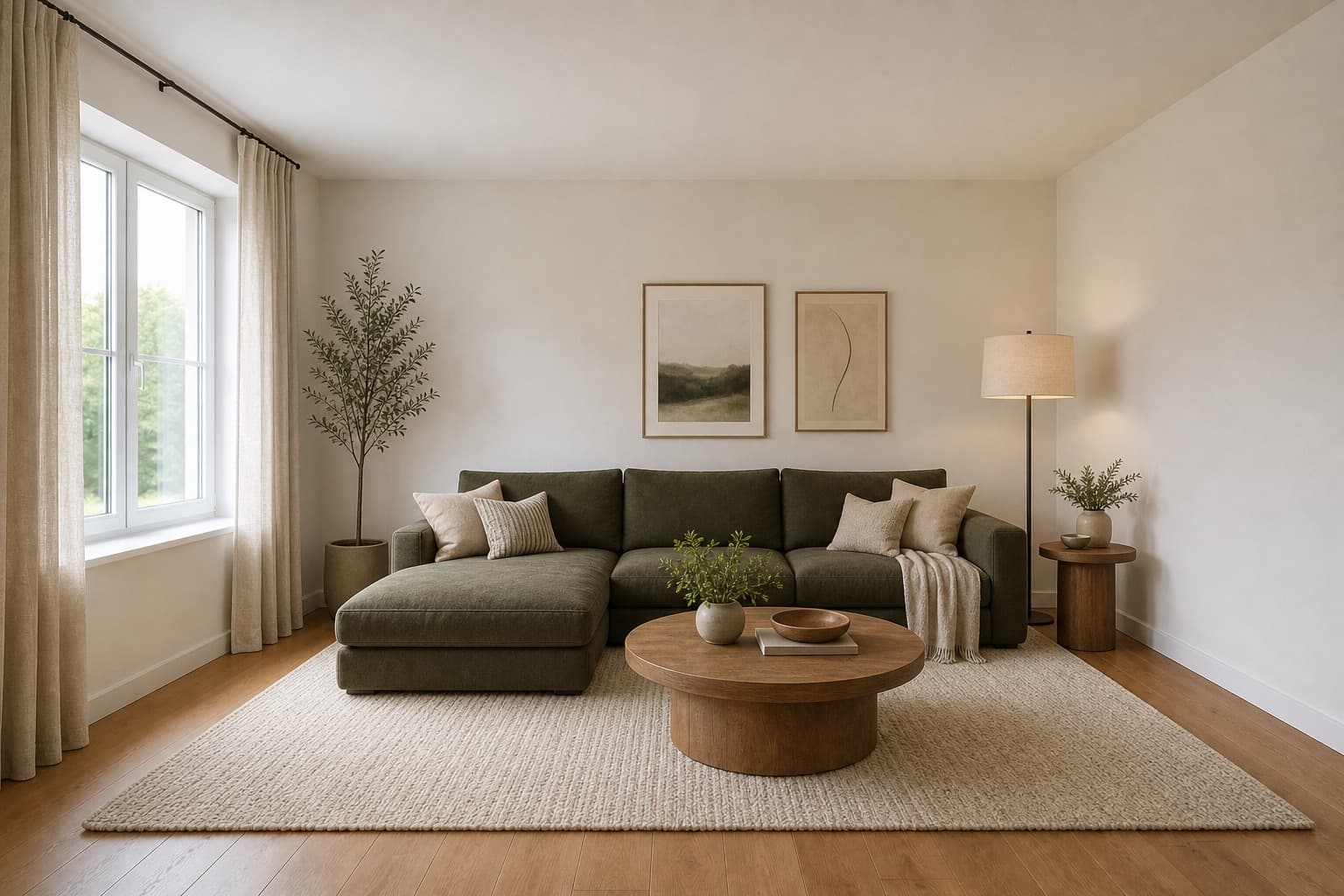 After
AfterMade for homeowners, renters and design enthusiasts
Free · AI Tool
Most AI room design tools ask for a credit card before they show you anything. Miraliq's free AI room design tool doesn't — you can upload a photo, generate a redesign, and compare directions without entering payment details.
The free AI room design tool is built for the earliest stage of a project, when you're still deciding whether the room needs to change at all. Use it to compare modern, Japandi, minimalist, and Scandinavian directions on your actual space.
If you decide to explore further, sign up for a larger daily allowance. If not, you've lost nothing — the free AI room design tool costs nothing to try.
Before & After
BeforeAfterThe free AI room design tool kept the architecture and proposed a warmer direction in a single render.
Use Cases
The free AI room design tool lets you see whether a direction works in your actual space before you spend money on samples, furniture, or a contractor.
Run the free AI room design tool multiple times on the same photo with different styles. Modern, Japandi, minimalist — see which direction suits your space.
Sometimes the free AI room design tool confirms the room is fine as it is. That's a useful outcome — it saves you from a renovation you didn't need.
Hand a designer a visual starting point instead of abstract references. The free AI room design tool makes the first conversation sharper.
AI Design Process
No signup, no credit card. Drop a clear photo of your room — JPG, PNG, or WebP up to 4MB. The free AI room design tool reads the room from a single image.
Choose a room type and one style. The free AI room design tool is built for trying directions — start with something you'd never normally pick, just to see what it looks like.
In under a minute, you'll receive a high-resolution render of your room in the new direction. No watermark, no card required. Architecture stays; everything else is reinterpreted.
The free AI room design tool is for deciding whether a direction is worth pursuing — before you sign up, pay, or brief a contractor. If the render sparks something, upgrade for more. If not, you've spent nothing.
Room Tips
The free AI room design tool gives you a limited daily quota. Don't waste it on blurry or dark test shots. Pick the room you actually care about, photograph it in daylight, and use that.
Each render costs one free generation. Don't pick 'modern or minimalist' — pick one, generate, evaluate, then use the next render on the other. Comparing two clean renders beats comparing ten rushed ones.
Free quota is too valuable to waste on photos the tool can't read. Night shots under lamps produce warm, distorted renders. Wait for daylight, even if it means waiting a day.
It's tempting to test the free AI room design tool on a room you don't care about. Don't. Use it on the room that's actually bothering you — that's where a render will tell you something useful.
The free quota is enough to compare two or three directions. Use it. If none of the free renders spark anything, paid renders from the same tool probably won't either — the issue is the photo or the room, not the quota.
Supported Styles
Clean lines, neutral palette, restrained details. The default to try first with the free AI room design tool — it's the easiest direction to evaluate.
Light woods, soft neutrals, practical comfort. A free-tool favorite because it produces bright, readable renders even from average photos.
One palette, one material, nothing extra. Worth one of your free renders if a room feels cluttered and you want to see what 'essential' looks like.
Layered textiles, warm color, natural materials. The free AI room design tool's most expressive direction — try it when a room feels too sterile.
Whitewashed tones, linen, soft blues. A free render worth spending when a room feels heavy and you want to test a lighter mood before committing.
Walnut tones, tapered legs, organic curves. A free-tool direction worth trying if your current room feels stuck in a different decade.
FAQ
Keep exploring
Upload a photo and let the free AI room design tool propose a new direction — no card, no commitment.
Upload & Try FreeMIRALIQ