Japandi Living Room Design

Upload one photo. The AI renders a Japandi direction over your actual room — low furniture, oat and oak, paper light — in under a minute.

Built for real room photos

Start with a photo of the space you actually want to redesign.

Explore room styles

Compare directions from minimal and modern to Japandi and bohemian.

See a direction before you commit

Use a visual concept to clarify your taste before buying or renovating.

Try a sample room
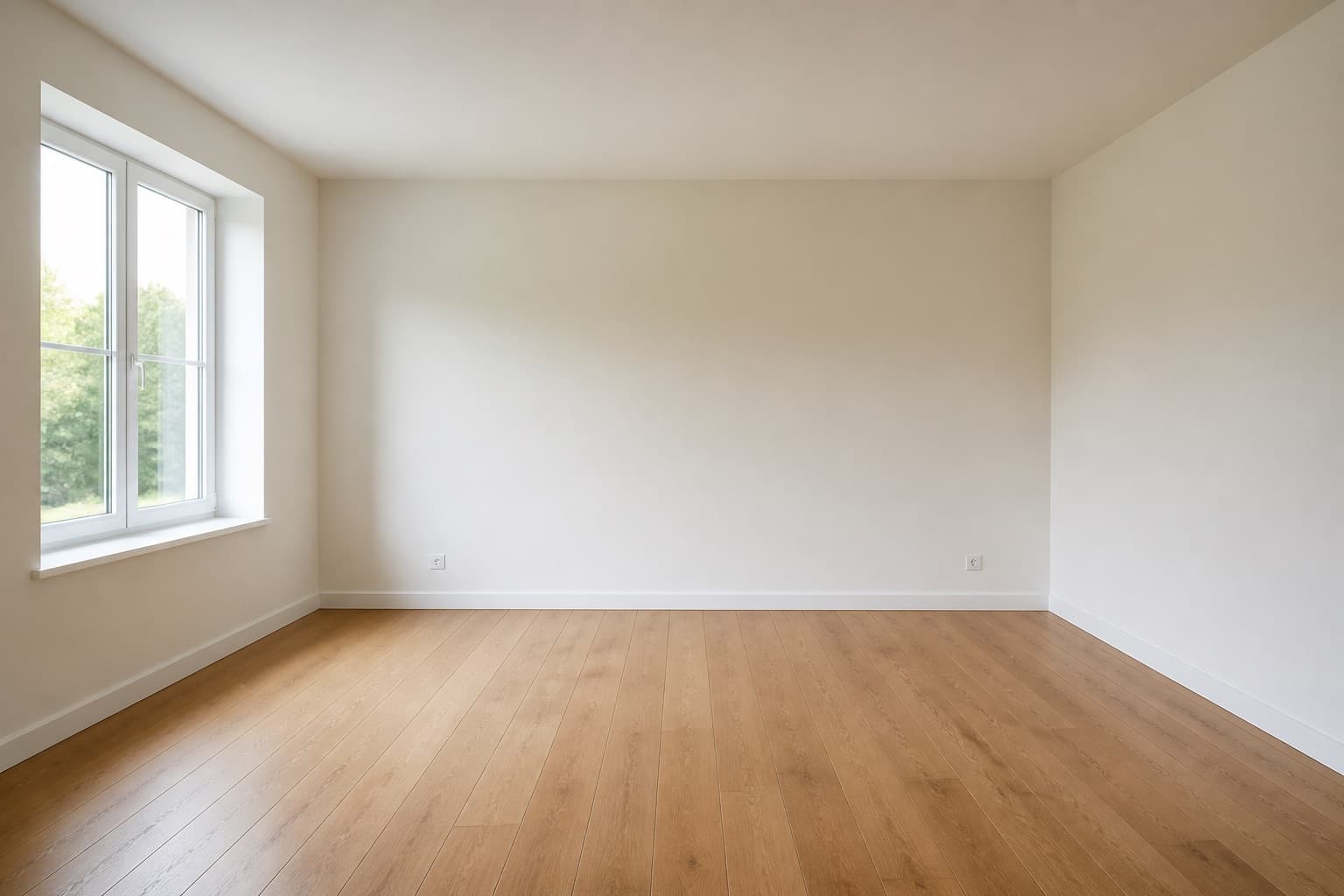
Original room previewBefore
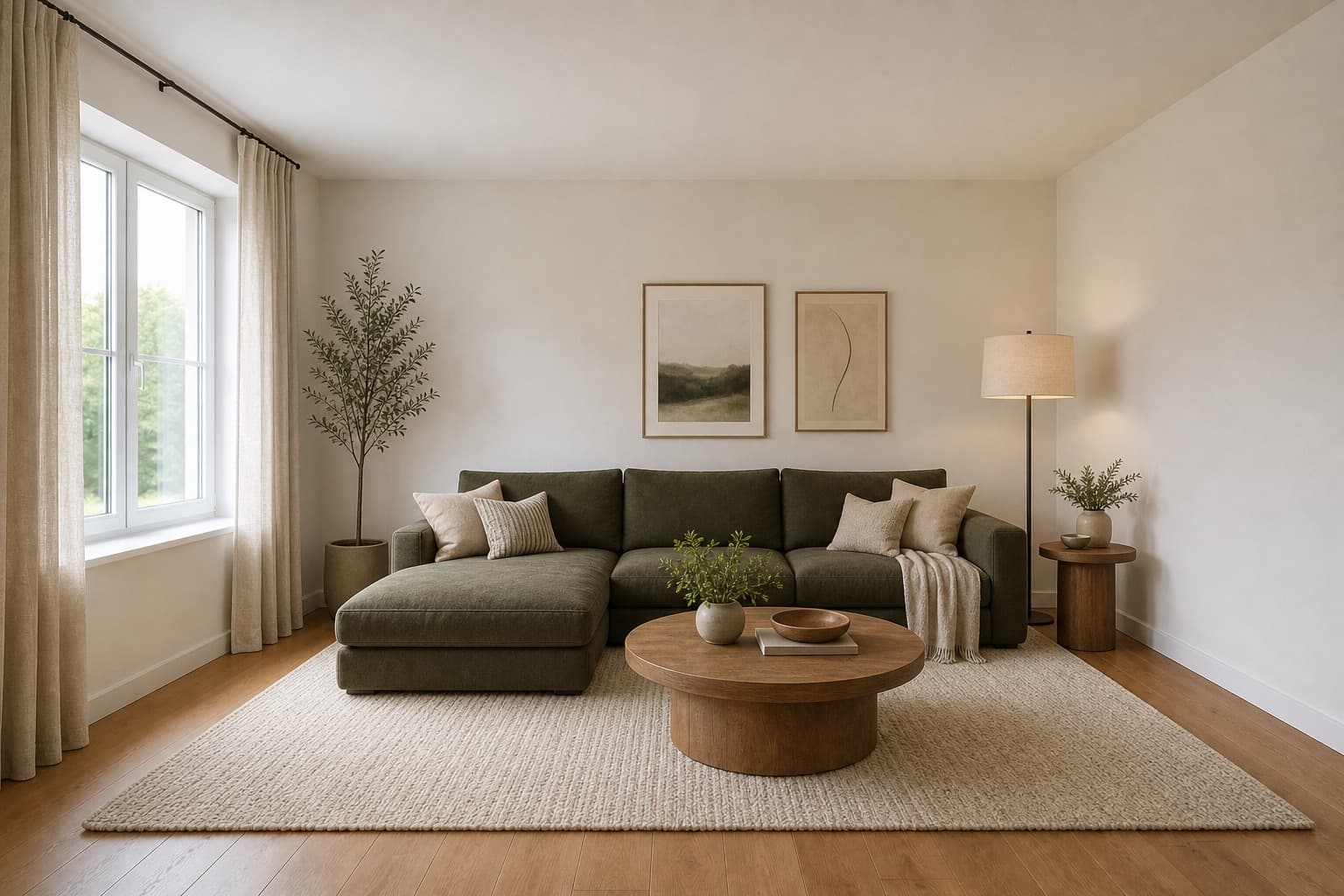
Selected room design conceptAfter

Made for homeowners, renters and design enthusiasts

Homepage previews stay on this device JPG, PNG and WebP supported Works on any device

Japandi Living Room Design

Japandi Living Room Design

Japandi is what happens when two restrained traditions agree on the same room. Japanese design brings low furniture, paper light, and a tolerance for empty space. Scandinavian design brings pale oak, soft neutrals, and the conviction that a home should feel warm. Together they produce a living room that reads as quiet without reading as austere — the sofa sits lower, the palette stays in oat and ash, and every object earns its place rather than arriving by accident.

Miraliq's Japandi living room design tool reads the photo you upload and rebuilds the room in that register. Furniture drops in height, surfaces move toward paper and linen, lighting softens, and the ceiling lifts toward warm-white. Your walls, windows, and proportions are preserved — the change is tonal, not structural. Nothing moves; everything settles. The room you get back is recognizably yours, only quieter and lower.

The result is a render that tells you whether this quieter direction actually suits the room you live in. Some living rooms absorb Japandi immediately; others need a touch more contrast to feel lived-in rather than staged. You will not know which is yours until you see it on your own walls — and seeing it on your own walls is the whole reason to render rather than imagine.

Before & After

See the redesign, before and after

Original living room before Japandi redesign — tall heavy furniture, busy patternsBefore
Same living room rendered in a Japandi direction — low furniture, oat palette, paper lightAfter

Furniture height dropped, palette narrowed to oat and oak, lighting softened — all over the same architecture.

Use Cases

When this tool earns its keep

1

Lower a visually top-heavy room

Tall bookshelves and high-backed sofas make a ceiling feel lower than it is, because they fill the vertical space the eye expects to read as air. The Japandi living room design AI drops furniture height and lets the architecture breathe again. The effect is immediate — the same room reads as taller and calmer without a single structural change.

2

Quiet a busy open-plan space

Open-plan living rooms accumulate visual noise from every direction — the kitchen, the dining table, the hallway. A Japandi direction narrows the palette and removes pattern across the whole space, which calms the eye without losing function. The render shows you what the room looks like when nothing is fighting for attention.

3

Test a low-sofa direction safely

Low Japanese-style sofas are a commitment — they are expensive, hard to return once delivered, and they change how the whole room reads. The AI shows you what one looks like in your actual room before you order, so you can judge whether the lower silhouette suits your proportions or leaves the room looking unbalanced.

AI Design Process

From photo to redesign in four steps

Step 1

Upload a photo

Take a straight-on photo of the living room from the doorway. The Japandi living room design AI reads proportions, furniture height, and natural light from the image — no floor plan or measurements needed. JPG, PNG, and WebP up to 4MB are supported. A clean, well-lit frame produces the most honest render.

Step 2

Choose Japandi direction

Select living room and Japandi. The AI lowers furniture toward platform height, narrows the palette to oat and oak, and introduces paper-light fixtures over your existing architecture. The room type tells it what anchor to preserve; the style tells it what mood to build.

Step 3

Generate the redesign

In under a minute you receive a high-resolution render. Walls and windows stay exactly where they were; furniture, palette, and lighting shift toward a quieter register. The architecture is untouched — the change is in how low and how calm the room becomes.

Step 4

Compare and iterate

Use the before/after slider to judge the change. If the room reads too austere, regenerate with Scandinavian to add warmth back and compare the two side by side — Japandi against Scandinavian on the same photo is the fastest way to find out which version of quiet your room actually wants.

Room Tips

Get the most out of every render

Photograph the seating, not the TV

Japandi centers on the seating arrangement — the sofa, the low table, the relationship between them. Frame the sofa wall in your photo so the AI can read the furniture hierarchy it will lower and simplify. A photo centered on the TV tells the tool almost nothing useful about how the room is actually lived in.

Close curtains for even light

Hard shadows from direct sun flatten the oat palette the AI is trying to build, because the contrast swallows the subtle warmth the palette depends on. Diffuse daylight through sheer curtains gives a more honest read of how Japandi will sit in your room across the day, not just at the sunniest hour.

Hide cables and small electronics

Japandi reads every visible object as a decision — a cable on the floor is not neutral, it is a statement the calm cannot absorb. Clear cables, remote controls, and small electronics before shooting so the AI has a clean surface to build the quiet direction on, rather than working around visual interruptions.

Keep one low surface in frame

A low coffee table or floor cushion gives the AI a scale anchor for the lower furniture height Japandi requires. Without it, the render can misread proportions and deliver furniture that sits too low or too high relative to your real walls. One reference object is enough — more than that and the frame gets busy.

Supported Styles

Directions the AI can take your room

Modern

Clean lines and balanced forms with restrained details. A more conventional partner to Japandi if the room needs more structure — it keeps the calm but raises furniture height and adds matte oak and brushed metal for a more familiar silhouette.

Japandi

Japanese restraint plus Scandinavian warmth. Low furniture, oat and oak palette, paper-light fixtures — this page's direction. It reads as quieter than Scandinavian and warmer than pure Japanese minimalism, sitting at a specific midpoint the AI is tuned to.

Minimalist

Stripped-back and intentional, with less texture and more contrast than Japandi. Where Japandi keeps linen and paper light, minimalism removes them. Try it if the Japandi render still reads as too warm or too textured for your taste.

Mid-century Modern

Warm woods and organic curves rooted in the 1950s. A heavier, more saturated alternative to Japandi's quiet — useful when the Japandi render reads too spare and you want to add teak, walnut, and tapered legs without abandoning the calm.

Bohemian

Layered textiles, natural materials, and expressive color — the opposite of Japandi restraint. Rarely the right answer for a full living room, but useful as a counterpoint: generate it once and the Japandi render suddenly reads as more deliberate by contrast.

FAQ

japandi living room design FAQ

Is Japandi just Scandinavian with lower furniture?
No. Japandi is a fusion, not a subset. It borrows Japanese tolerance for empty space, paper-light fixtures, and low platforms, then fuses them with Scandinavian warmth and pale oak. The result is quieter than Scandinavian and warmer than pure Japanese minimalism — a specific midpoint, not just lower sofa legs. The AI is tuned to that midpoint, so generating Japandi and Scandinavian on the same photo will give you two genuinely different rooms, not the same room at two heights.
Will the AI lower my actual furniture, or just suggest it?
The render proposes lower furniture visually — it does not move anything in your real room. Use the image as a brief for what to source next: a lower sofa, a platform coffee table, a paper pendant. The render is a decision tool, not a renovation tool. It tells you whether lower furniture will suit your proportions before you spend money finding out the hard way.
Does Japandi work in a brightly colored room?
The AI will narrow the palette toward oat and oak regardless of the original colors, which is exactly the test you want. If the original color was load-bearing for your taste, the render will tell you immediately by feeling too quiet — and that is useful information, because it means Japandi is not the right direction for that room and you have saved yourself a real-world mistake.
Can I keep my existing sofa in the Japandi render?
The redesign mode reinterprets furniture, so the sofa will change visually. If you want to keep the existing sofa and only shift palette and lighting, use visualize mode instead — it preserves furniture more aggressively and only changes surfaces and mood. Generate one of each if you are undecided: redesign shows you the full direction, visualize shows you what is achievable without replacing anything.
What lighting does the Japandi render use?
Paper-light pendants and diffused uplighting, with warm-white ceiling surfaces that bounce light back down. The AI avoids harsh downlights, which would break the calm Japandi depends on. If your room currently relies on a single overhead spot, the render will show you what a layered, softer scheme would look like — which is often the single biggest improvement available.
How many Japandi renders should I generate?
Two or three. Each render varies slightly in furniture arrangement and palette emphasis because the generation is not deterministic. Comparing them tells you which version of Japandi actually fits your room — some lean warmer, some lean quieter — rather than trusting a single interpretation that might have landed on the wrong side of the midpoint.

See your living room in a Japandi direction

Upload one photo. The AI renders low furniture, oat and oak, and paper light over your actual room in under a minute. Free to try, no card required for the first render.

Upload & Try Free

MIRALIQ