Redesign any room in the home
The AI interior design generator works on living rooms, bedrooms, kitchens, and bathrooms. Same upload, same process — no room-specific setup required.
An AI interior design generator that works across every room in your home. Upload one photo, pick a direction, and get a realistic concept in under a minute — living room, bedroom, kitchen, or bathroom.
Start with a photo of the space you actually want to redesign.
Compare directions from minimal and modern to Japandi and bohemian.
Use a visual concept to clarify your taste before buying or renovating.
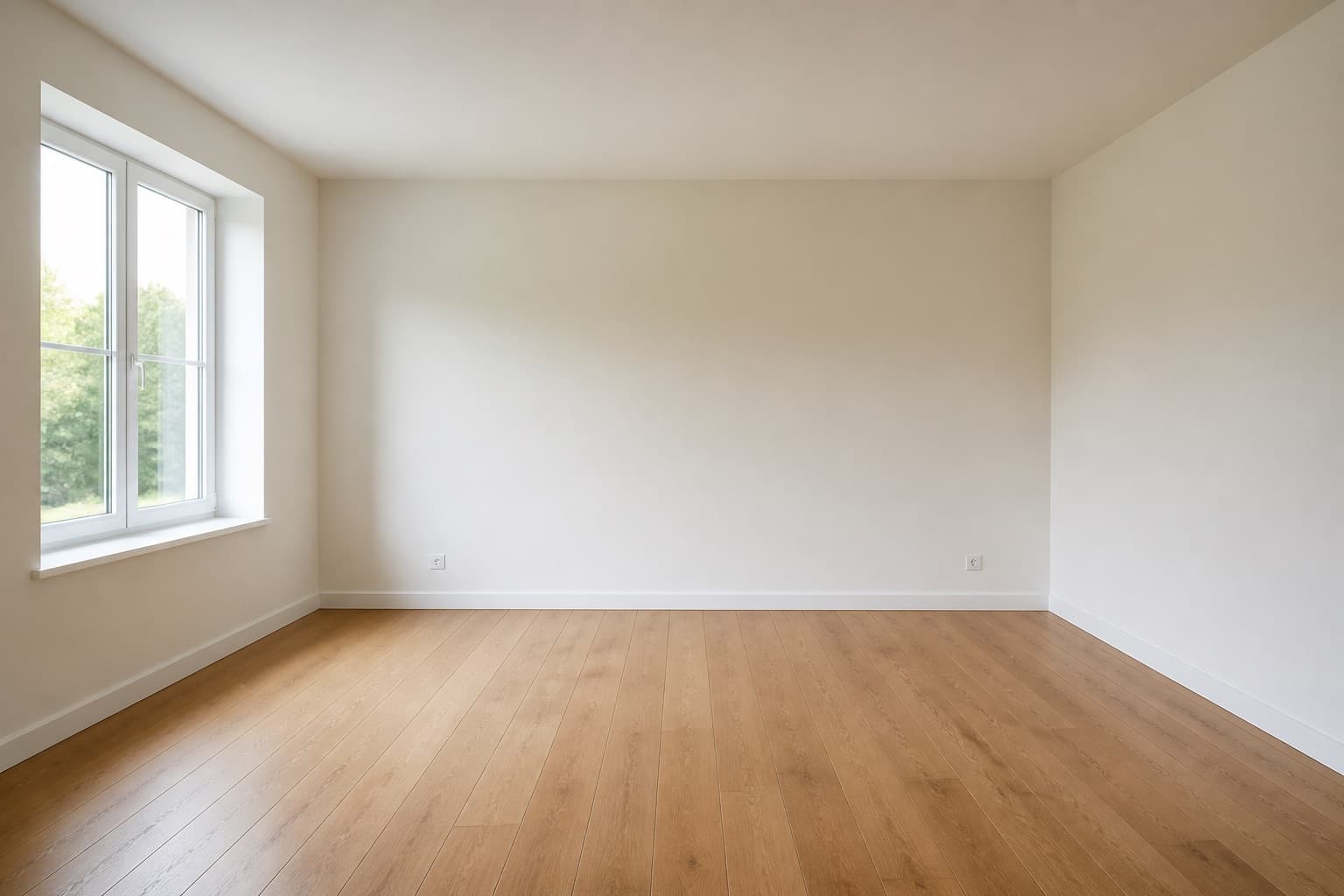 Before
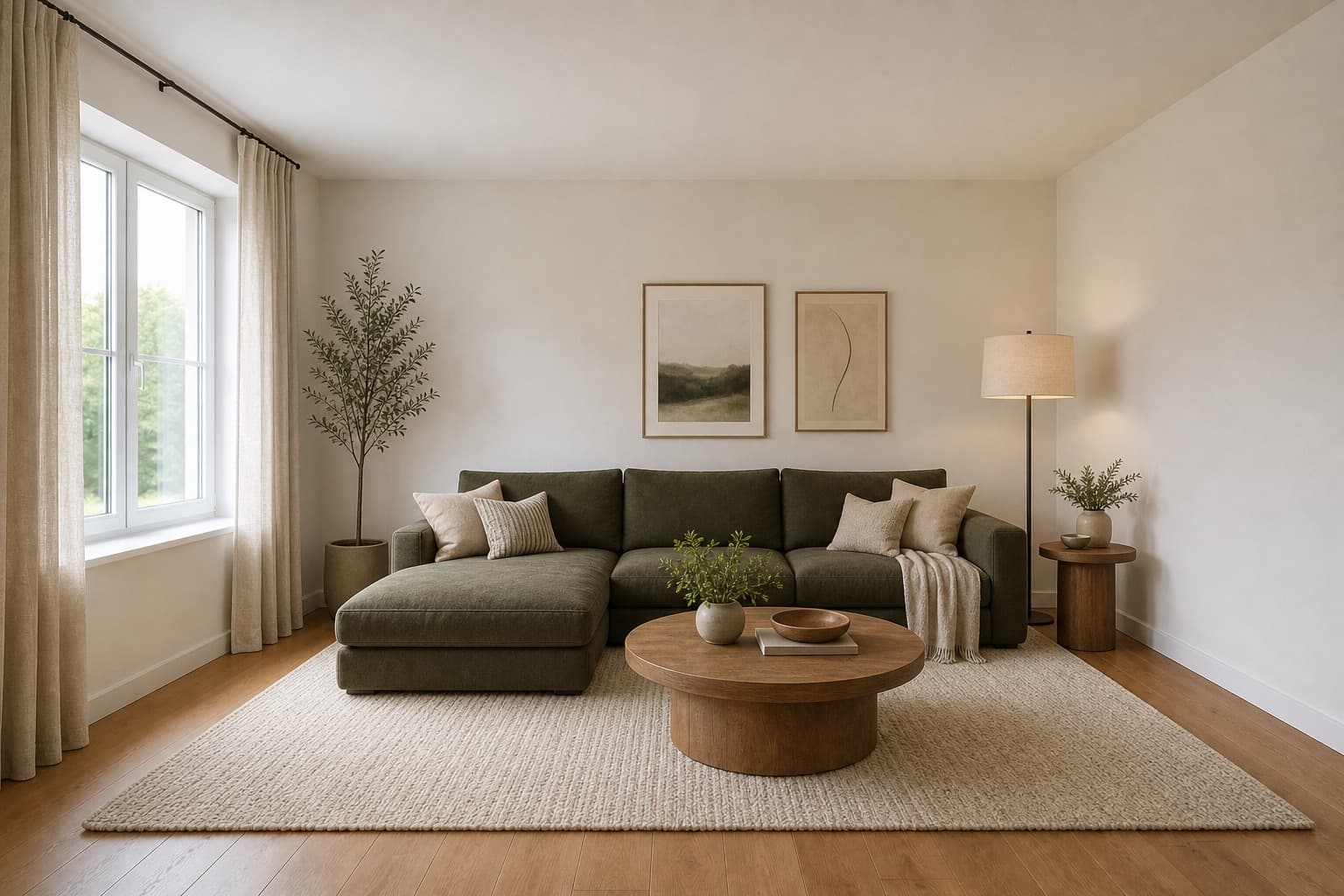 After
AfterMade for homeowners, renters and design enthusiasts
Interior · Generator
An AI interior design generator takes the friction out of early design exploration. Instead of collecting images from other people's rooms and hoping they fit yours, you start from a photo of your actual space and let the AI propose a complete new direction that keeps your walls, windows, and proportions as the reference.
Miraliq's AI interior design generator works across every room in your home — living rooms, bedrooms, kitchens, and bathrooms. Same upload, same process, same minute-scale turnaround. The architecture stays; the visual direction changes.
It is most useful for the earliest stage of any project, when you're still deciding what kind of change is worth making. Use the AI interior design generator to compare directions before buying furniture, briefing a designer, or starting work.
Before & After
BeforeAfterThe AI interior design generator kept the architecture and reimagined everything else in a single render.
Use Cases
The AI interior design generator works on living rooms, bedrooms, kitchens, and bathrooms. Same upload, same process — no room-specific setup required.
Run the AI interior design generator on the same photo with modern, Japandi, and minimalist directions. See which atmosphere feels closer to your goal.
Hand your designer a visual starting point instead of abstract references. The AI interior design generator makes the first meeting sharper.
Considering a refresh across several rooms? Run the AI interior design generator on each one with the same style to keep the home coherent.
AI Design Process
Living room, bedroom, kitchen, or bathroom — the AI interior design generator works on any room in your home. Shoot straight in from the doorway in daylight.
Tell the AI interior design generator which room it's looking at, then pick a style. Matching the room type matters — a kitchen render and a bedroom render of the same photo produce very different results.
In under a minute, you'll receive a high-resolution render of your room in the new direction. Architecture stays in place; palette, furniture, materials, and lighting are reinterpreted.
Run the AI interior design generator on each room you care about, with the same style. A consistent direction across rooms is what turns a set of renders into an actual interior design concept for your home.
Room Tips
The AI interior design generator reads one room per photo. Don't shoot from a hallway into two rooms at once — the generator will misread the subject and produce a confused render.
If you upload a kitchen photo but select 'living room' as the room type, the AI interior design generator will apply living-room logic to a kitchen. Always confirm the room type before generating.
If you generate Japandi for the living room, use Japandi for the bedroom too. A home feels designed when the rooms share a direction — the AI interior design generator makes that easy to test before you commit.
When you regenerate a room in a new style, use the same photo. Different angles produce different renders, which makes it impossible to tell whether the difference is the style or the angle.
The AI interior design generator is most useful when you run it on every room you care about. A single render is a concept; a set of renders in the same style is a plan you can actually act on.
Supported Styles
Current forms, polished finishes, subtle contrast. A strong default for the AI interior design generator because it reads as 'designed' without committing to a strong style across every room.
Exposed materials, dark accents, raw character. A direction the AI interior design generator handles well across open-plan homes with shared living and kitchen spaces.
Low furniture, oat-and-oak palette, paper light. A direction that holds up across every room in a home — bedrooms, living rooms, and even kitchens all read as one interior.
Bold geometry, rich materials, lacquered finishes. A direction worth generating when a home should feel more formal — entryways, dining rooms, and primary living spaces handle it best.
Walnut tones, tapered legs, organic curves. A direction the AI interior design generator uses to pull a home out of a generic 'builder-grade' look without going maximalist.
Light woods, soft neutrals, practical comfort. A direction that works in almost every room — useful when you want one style to carry an entire small home or apartment.
FAQ
Keep exploring
Upload a photo and let the AI interior design generator propose a new direction — free, no card required.
Upload & Try FreeMIRALIQ